|
NetModem Server:
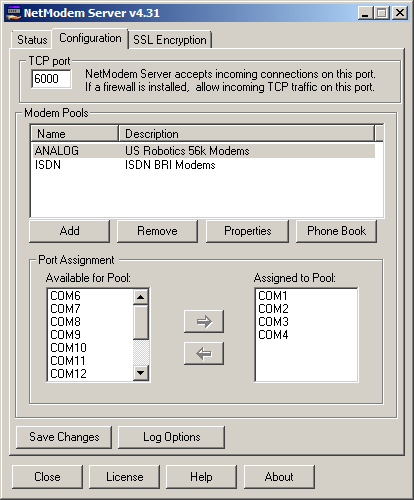
NetModem
Server Configuration
Multiple Modem Pools can be defined, which are groups
of one or more COM ports which all share the same properties.
When a client requests to use a modem pool, the next available
modem COM port in the selected pool can be assigned to
the client automatically. |
|
NetModem
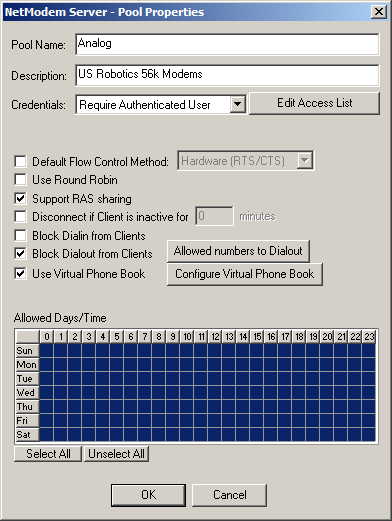
Server Pool Properties
Each modem pool can be configured independently with
its own dialing rules, default flow contro setting,
and user authentication access. Clients can be blocked
from receiving incoming (Dial-In) phone calls, preventing
potential security issues. Dialing rules can be set
allows limiting outbound (Dial-Out) calls to a list
of allowed phone numbers for this pool. Virtual Phone
books can be configured to allow pseudo phone numbers
to be used in the client applications, which are converted
to the actual phone number by NetModem Serve. An Idle
timeout can be set to automatically disconnect inactive
users from their modem. Pools can be limited to specific
hours of use.
|
. 
NetModem
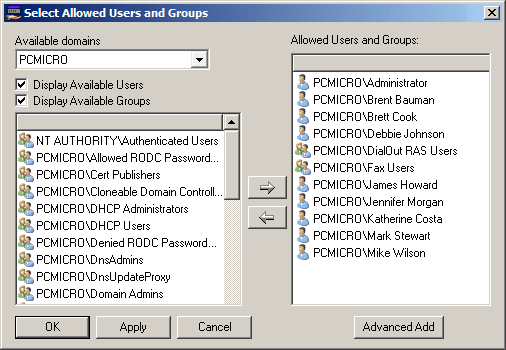
Server Edit Access List
When authentication is enabled for a pool, select users
and groups can be granted access to the modem pool. Users
can either belong to the local NetModem Server PC or to
an Active Directory Domain on the Network. A Server version
of Windows is not required for the NetModem Server software. |
.
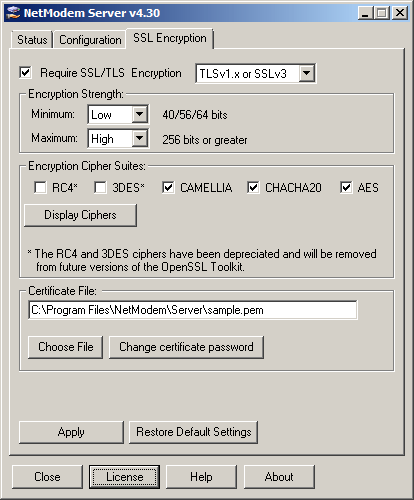
SSL/TLS
Encryption
The encryption options allow a secure session between
the NetModem Server and the clients, preventing network
"port sniffer" software from capturing the data traffic.
The latest and most secure version of TLS 1.3 is supported,
as well as older TLS 1.2, 1.1, 1.0 and SSL 3.0 encryption protocols.
NetModem supports several different encryption ciphers,
including hardware based AES-NI, which takes advantage
of the AES instruction set built into most modern CPUs. |
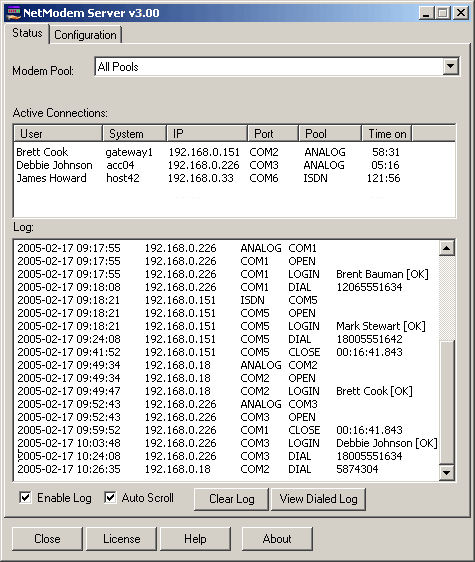
NetModem
Server Status
The status tab shows which users are currently connected
to NetModem Server in either all pools or a particular
pool, as well as a realtime log display of activity on
the selected pool(s).
The administrator can disconnect a user by right clicking
on them and selecting the Disconnect option. |
NetModem
Client:
NetModem
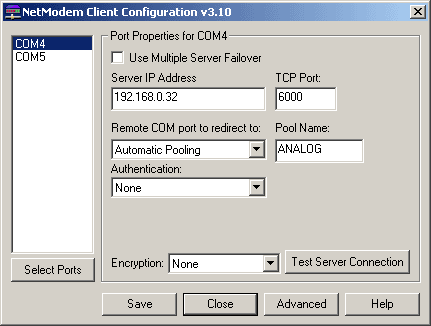
Client Configuration
This allows selecting which Virtual COM port(s) will be
created on the client PC. Each Vitual COM port will redirect
to a particular Server address, TCP Port, and optionally
a Pool Name. Authentication can be enabledt to optionally
provide the users Windows Credentials, a Login/Password,
or a Pool password when connecting to the modem server. |
NetModem
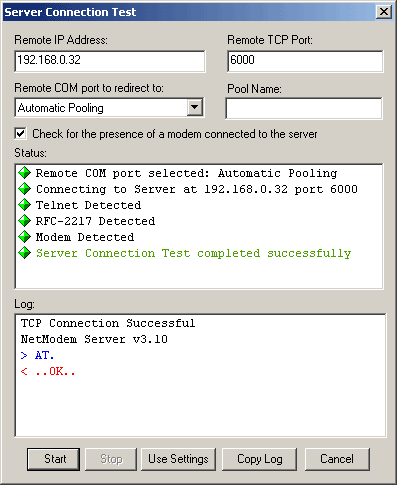
Client - Server Connection Test
The Server Connection test simplifies the configuration
process and verifies that the client is configured to
properly connect to the server, by detecting if the server
requires a particular authentication or encryption setting.
It also verifies that the modem on the server responds
to an AT command once the connection is successful.
If Encryption is enabled, it will show which encryption
cipher is negotiated, and will display the server certificate
credentials. |
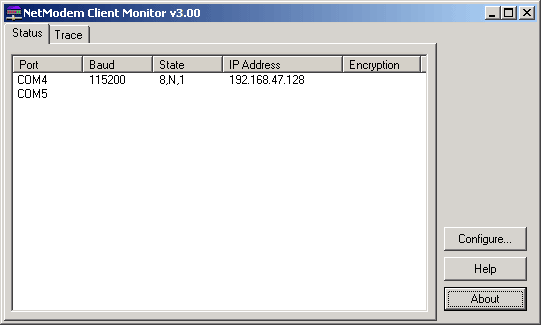
NetModem
Client Status
This shows the status of every configured Virtual COM
port defined for this client, and shows the current settings
of any active COM ports, including the current baud rate,
line settings, IP address of the server the COM port is
connected to, as well as the encryption cipher being used
for the connection.. |
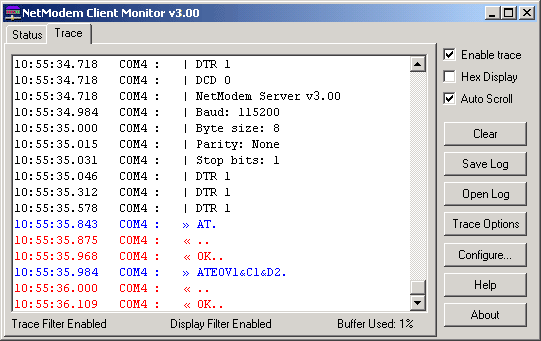
NetModem
Client Monitor Trace
The monitor trace allows viewing or collecting a log of
the data passed to and from the modem, including changes
to the baud rate, line settings adjustments, AT commands
sent to the modem, modem responses and the data stream.
The log can be displayed in either ASCII or Hexadecimal
format. These logs can provide debugging information to
either your own IT staff, or can be sent to our support
engineers to assist with troubleshooting. |
For
additional information on how NetModem functions, please refer
to the Users Guide
|